
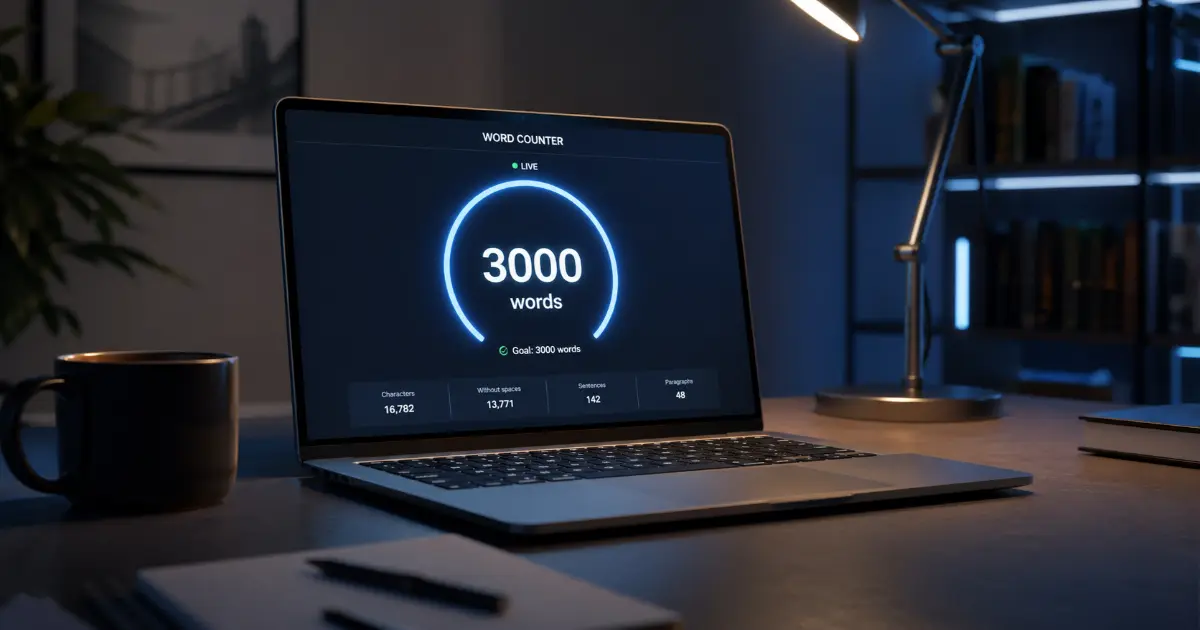
Precision Word Counter: Accurate Character & Word Count Tool
Table of Contents
Beyond the Number: The Ultimate Word Counter for Precision Writing and Professional Publishing
Need an accurate word count? Use our professional word counter tool to ensure your writing meets strict length requirements for publishing, SEO, and more.
The Science of Word Counting: Why Precision Matters in 2025
Hitting a word count has never been a simple box-ticking exercise — but in 2025, the stakes are considerably higher. Whether you're submitting a manuscript, optimising a blog post for search, or crafting a grant proposal with a strict character ceiling, precision in length is no longer optional. A reliable word counter is now as essential to professional writing as a spellchecker.
From Approximate to Absolute: The Hard Limits Era
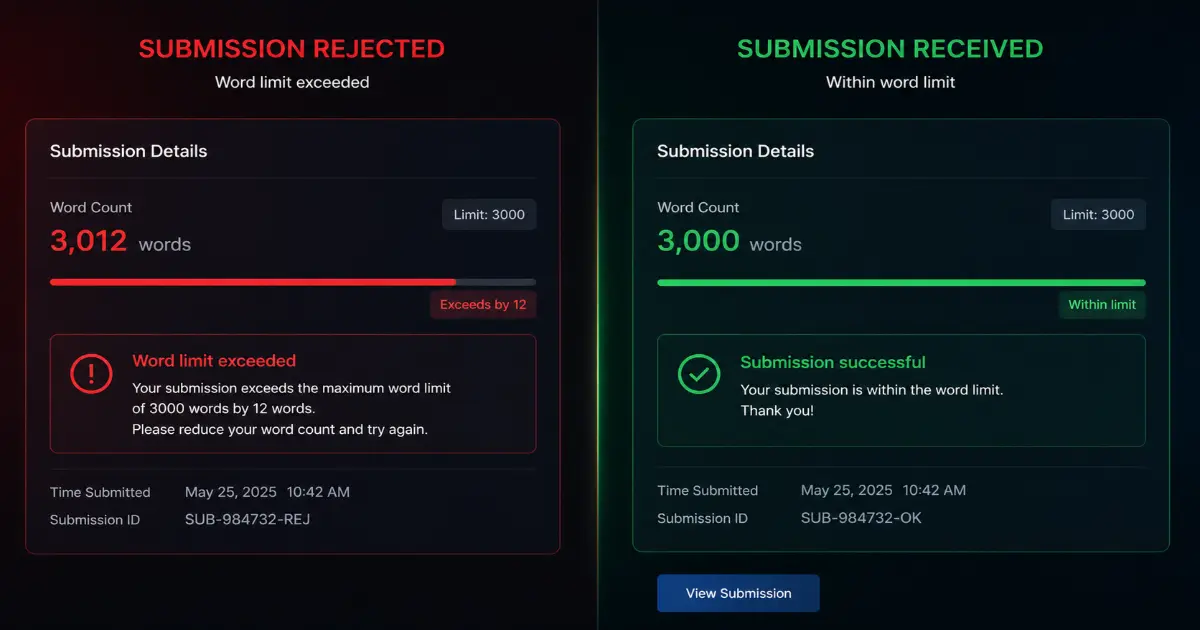
Digital publishing has fundamentally shifted expectations around length. Where editors once accepted submissions that were "roughly 2,000 words," platforms now enforce hard limits with automated gatekeeping. Academic journals, content management systems, and social media platforms alike will reject or truncate content that falls outside defined parameters.
Hard limit: A fixed, non-negotiable maximum (or minimum) length threshold enforced at the point of submission, often by automated systems rather than human editors.
This shift matters enormously. A piece exceeding a journal's 8,000-word cap may be auto-rejected before a single reviewer reads a sentence. The margin for error has collapsed.
Word Count and Search Engine Depth Signals
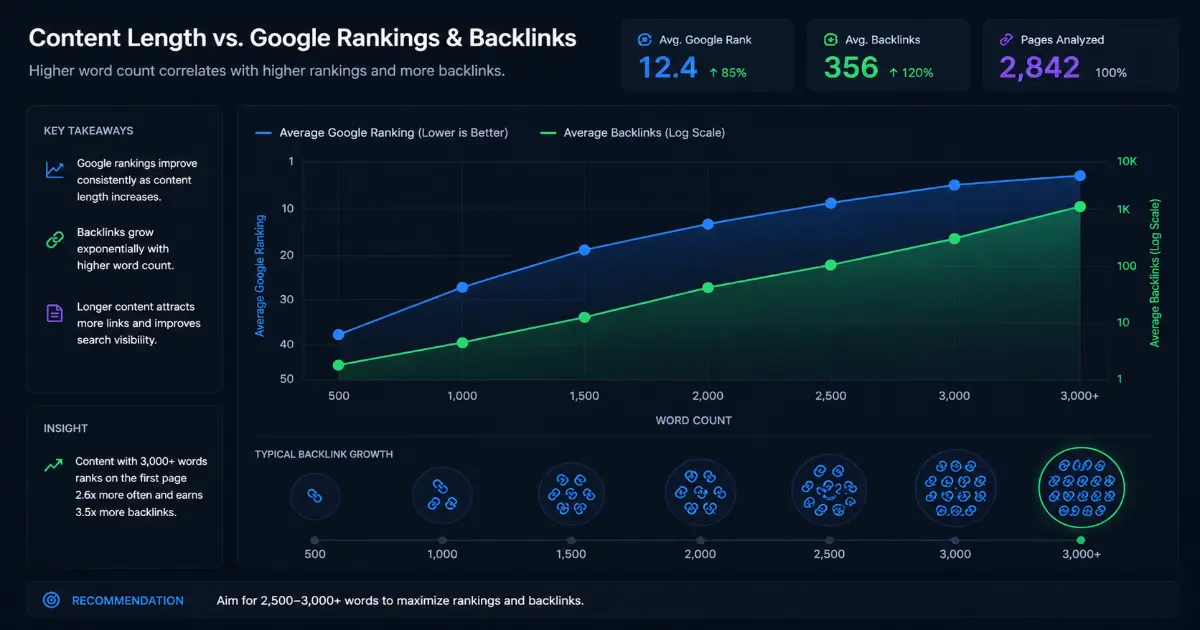
Search engines treat content length as one proxy for topical depth — the degree to which a piece comprehensively addresses a subject. Research consistently shows that longer, well-structured content tends to earn more backlinks and rank for broader keyword clusters. However, length without substance is penalised. Precision, not padding, is the operative principle.
The Psychology of Length and Reader Engagement
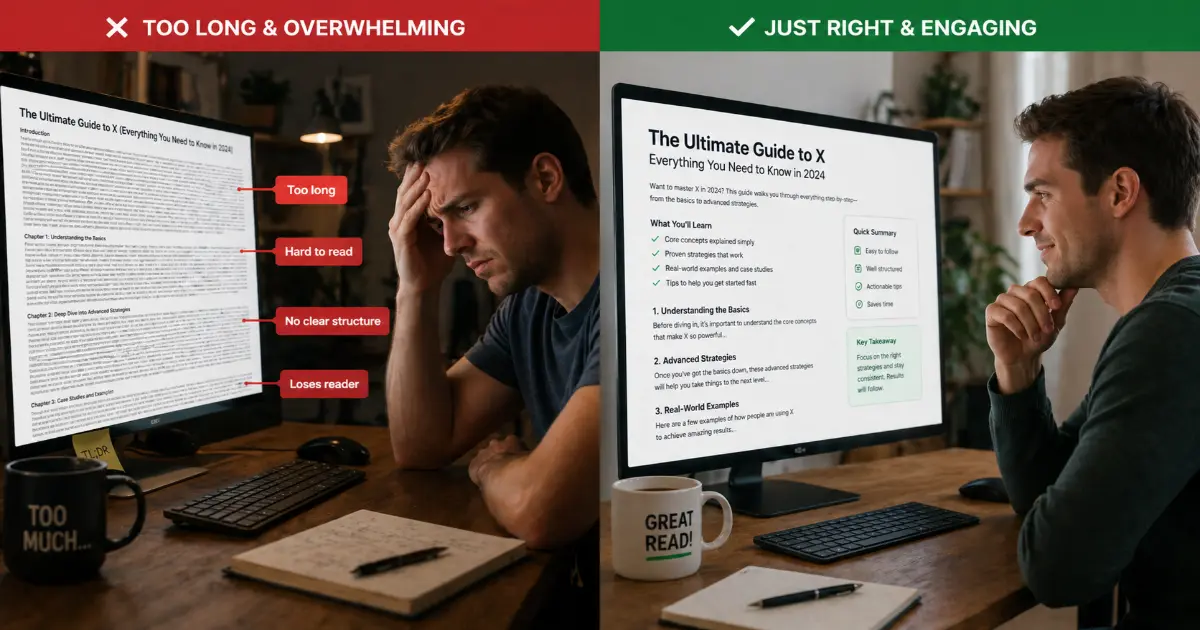
Reader behaviour data reveals a clear pattern: content that matches its promised scope — neither bloated nor truncated — earns higher completion rates. Audiences instinctively sense when a piece has been padded to hit a target or cut short to meet a deadline. Length management is, in this sense, a craft skill as much as a technical one.
Introducing Correct Writing Through Length Management
This is where the concept of Correct Writing through length management becomes vital. Using a free online word counter tool moves writing from intuition to informed decision-making — transforming vague estimates into actionable data.
Different tools, however, count differently. Before exploring how to write with precision, it's worth understanding exactly why your word count varies depending on which platform you're using.
Platform Parity: Comparing Word Counters Across Google Docs, Word, and Grammarly
Understanding why word count tools disagree is just as important as knowing which one to trust. As the previous section established, precision in counting directly affects professional outcomes — and nowhere is that gap more visible than when comparing the platforms most writers use every day.
Google Docs vs. Microsoft Word: The Character Count Discrepancy
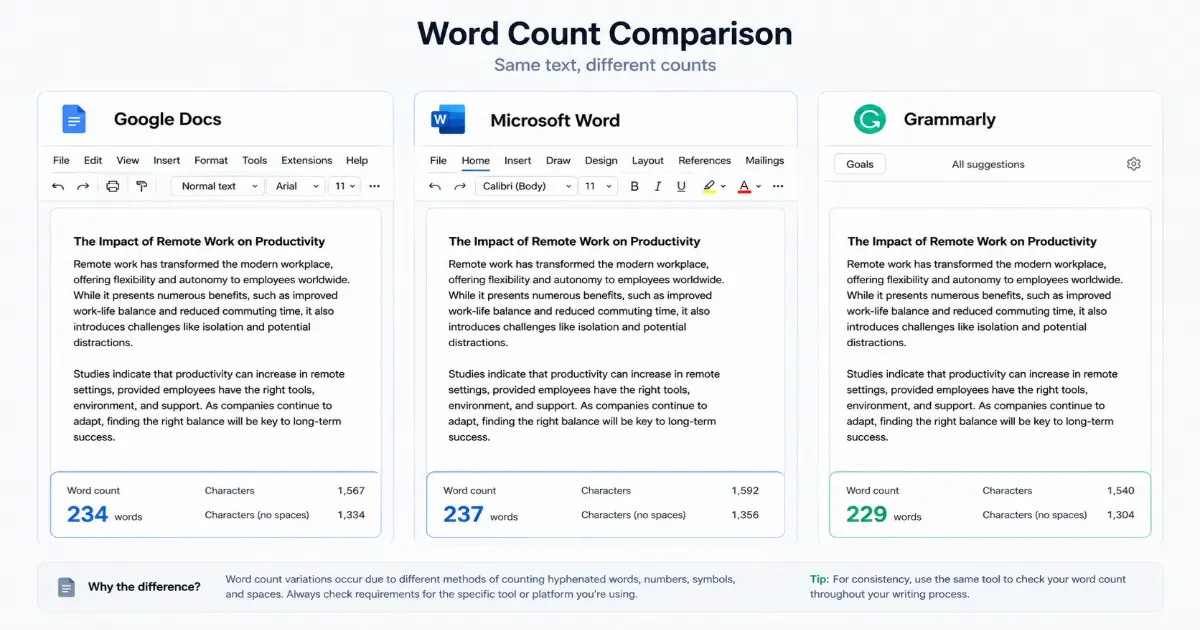
At first glance, Google Docs and Microsoft Word appear to offer equivalent word counting functionality. In practice, the two platforms diverge in ways that matter.
Character count discrepancy: The measurable difference in character totals produced by different software platforms when processing identical text — typically caused by how each application handles whitespace, special characters, and formatting marks.
Google Docs counts words by tokenising visible text, but its handling of em dashes, non-breaking spaces, and smart quotes can differ from Microsoft Word's parser. A document with heavy use of em dashes or special punctuation may register a different word total depending on which platform processes it. For academic submissions, editorial briefs, or publishing contracts specifying exact counts, this is not a trivial concern.
Microsoft Word's hidden formatting characters — page breaks, field codes, and footnotes — can inflate or suppress the displayed count depending on which settings are active. Activating "Show/Hide" (the ¶ button) reveals these hidden elements, giving writers a more transparent view of what the software is actually counting. To access the full statistics breakdown in Word, navigate to Review → Word Count for a dialogue that includes characters with and without spaces, paragraphs, and lines.
In Google Docs, the equivalent panel lives under Tools → Word Count, and a keyboard shortcut (Ctrl+Shift+C on Windows, Cmd+Shift+C on Mac) surfaces it instantly. Enabling "Display word count while typing" pins a live counter to the bottom of the document — a genuinely useful feature for anyone managing rolling targets.
Grammarly's Integrated Approach
Grammarly takes a different philosophy, embedding word and character metrics directly alongside grammar and style analysis. Rather than treating length as a separate concern, its interface surfaces readability scores, engagement metrics, and word count simultaneously. This integrated approach suits writers who treat length as one signal within a broader quality assessment.
However, Grammarly's counter is only as accurate as the text it receives. Documents pasted from PDFs or exported from complex layouts frequently carry hidden line breaks, ligatures, or encoding artefacts that skew the count.
The PDF Problem and Cloud Editor Pitfalls
Counting words in a PDF is notoriously unreliable. PDFs are designed for visual presentation, not text extraction — meaning columns, callout boxes, headers, and footers are often absorbed into the main word stream during extraction. A 1,200-word article formatted into a two-column PDF layout can return wildly different counts depending on the extraction method used.
Cloud-based editors present a subtler challenge: auto-saved versioning and real-time collaboration mean the document being counted may not reflect the version the writer believes is final. Always count from an exported, clean file when precision is non-negotiable.
For situations where platform-specific quirks introduce too much uncertainty, a dedicated word counter online tool — one that processes plain text independently of formatting layers — provides a neutral baseline that bypasses these variables entirely.
The stakes rise further when professional translators enter the picture. Character counts, encoding differences, and source-language complexity introduce an entirely new layer of precision demands — which is precisely where standard counters begin to fall short.
The Translator's Toolkit: Why r/TranslationStudies Demands More from a Counter
Professional translators operate in a fundamentally different world to content writers or academics. Where a novelist measures success in chapters and a blogger in page views, a translator's entire workflow — and livelihood — pivots on granular count accuracy. Standard counters, including the word counter Google Docs offers by default, simply weren't built with localisation in mind.
Where Standard Counters Fall Short
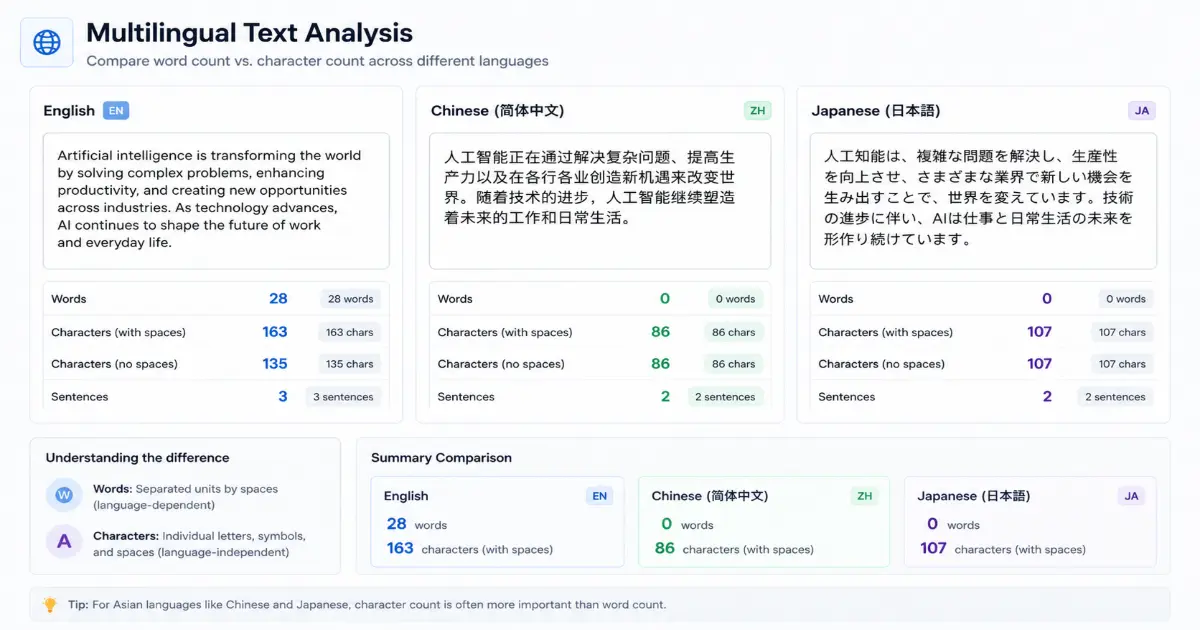
Most general-purpose word counters are calibrated for English-language prose. They tokenise text by spaces and punctuation, which works reasonably well for Western European languages. However, this logic collapses quickly when applied to Chinese, Japanese, or Thai — languages with no word-spacing conventions whatsoever. A single Chinese character can carry the semantic weight of an entire English phrase, yet a space-based counter will return zero usable data.
Even within European languages, compound structures in German or agglutinative forms in Finnish will produce word counts that bear little resemblance to the actual translation effort involved.
Character count: The total number of individual characters in a document, measured either with spaces (including every blank character) or without spaces (excluding them). For translation billing and UI localisation, character count is often the contractually binding metric — not word count.
Billing Accuracy: Characters With and Without Spaces
In professional translation, billing disputes often originate from a single misunderstanding: which count metric applies. Many agencies and direct clients bill per source word, but software localisation projects — app strings, UI labels, metadata — typically bill per character. The difference matters enormously.
A short UI string reading "Account settings updated successfully" contains 37 characters with spaces, 31 without. Multiply that discrepancy across thousands of strings in a software product, and the invoicing gap becomes significant. Professional translators need tools that surface both figures simultaneously, not buried in a secondary menu.
Handling Any Length: Short Strings to 100,000-Word Manuscripts
The range of document sizes in a single translator's working week can be extraordinary. On a Monday, they may be processing 50-character marketing taglines; by Friday, a 100,000-word legal manuscript. Tools that impose character or word limits, or that slow dramatically when processing large files, introduce friction that compounds across a working year.
Localisation: The process of adapting content — including text, formatting, and cultural references — for a specific target market or language. It extends beyond translation to encompass character limits in UI design, date formats, and currency symbols.
According to The Essential Guide to Modern Word Counter Tool, the most valuable counters for professional use provide real-time metrics across multiple dimensions simultaneously — not just word totals.
What Professional Translators Actually Recommend
Community consensus within translation professional circles consistently highlights three non-negotiable features: character count with and without spaces, language-agnostic processing, and segment-level counting for CAT (Computer-Assisted Translation) tool compatibility. General writing tools rarely offer all three out of the box.
In practice, many translators maintain a secondary, dedicated counter alongside their CAT tool precisely because built-in counters lack the granularity billing requires.
Raw word count, it turns out, is just the beginning — and as we'll explore next, advanced metrics like keyword density, flow scores, and reading-level analysis take precision writing even further.
Advanced Metrics: Keyword Density, Flow Scores, and Reading Level
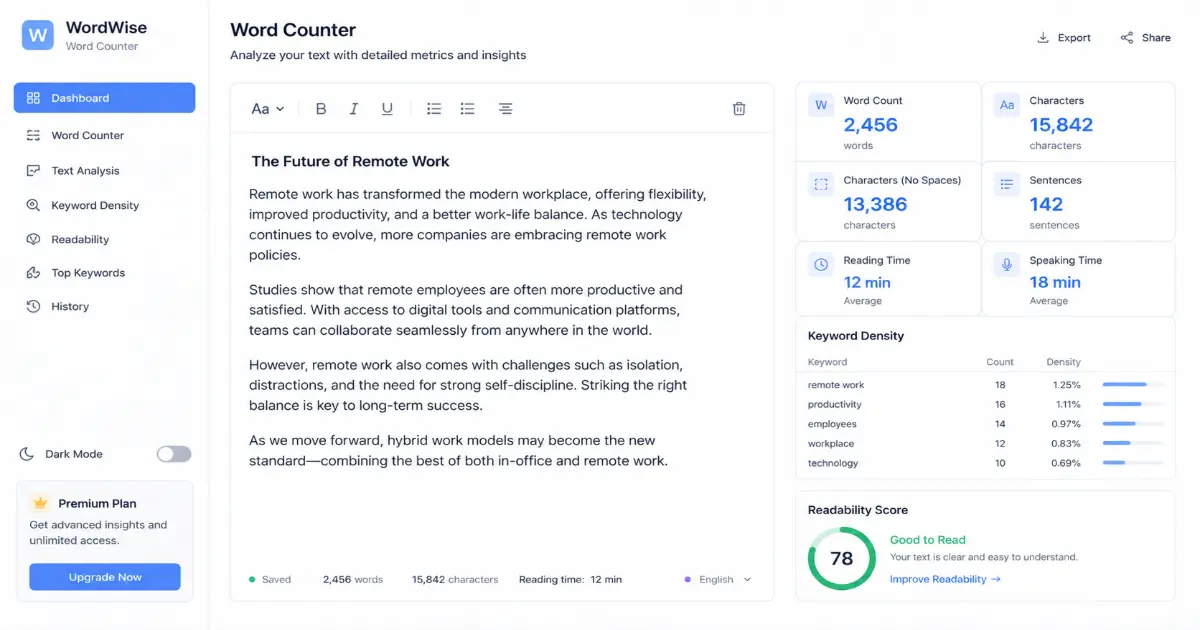
Raw word counts tell only part of the story. For writers serious about professional publishing — whether crafting SEO-driven blog content, academic papers, or polished long-form features — the real intelligence lies in the secondary metrics that sophisticated word counter tools surface alongside the basic number. Keyword density, flow scores, and reading-level analysis together form a quality control layer that separates reactive counting from genuine precision writing.
Keyword Density: The Fine Line Between Relevance and Over-Optimisation
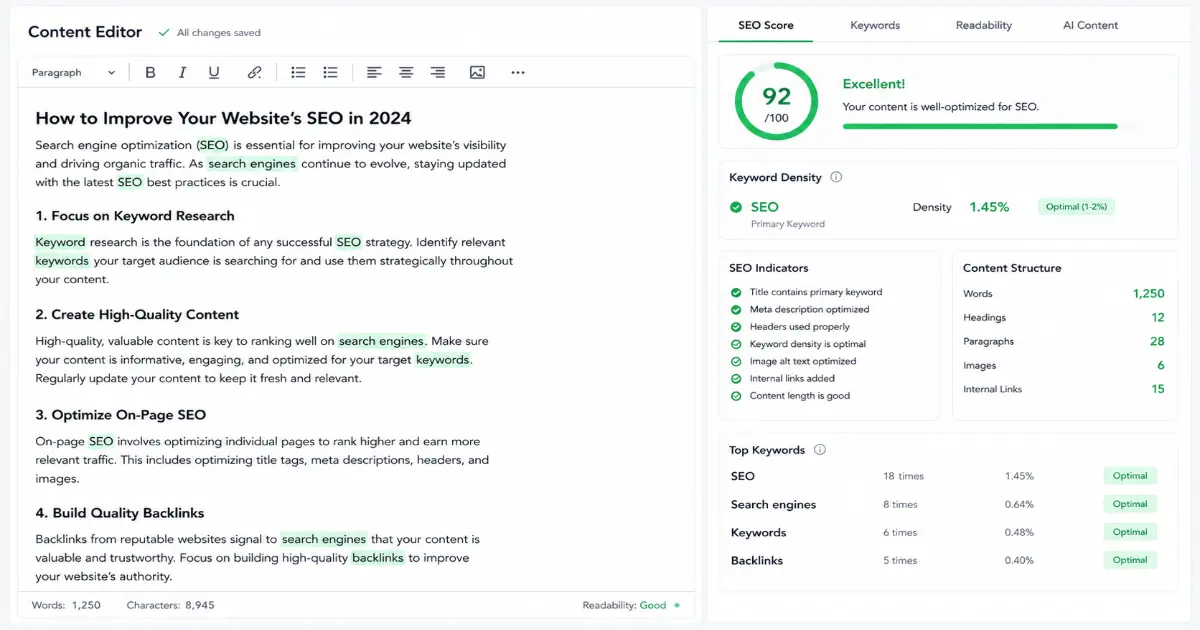
Keyword density: The percentage of times a specific keyword or phrase appears relative to the total word count of a piece. It is commonly expressed as a percentage.
Maintaining the right keyword density is less about hitting a magic number and more about avoiding two failure modes: under-use (which weakens topical relevance) and over-use (which triggers search engine penalties for keyword stuffing). A practical benchmark many SEO practitioners reference is a density of 1–2% for a primary keyword across a piece of standard length. A word counter that flags keyword frequency in real time allows writers to self-correct during drafting rather than auditing retrospectively, which is considerably more efficient.
It is worth noting that keyword density calculations depend on an accurate total word count — which, as covered earlier in this article, can vary across platforms. Pairing a character count online check with a keyword frequency report also helps writers working with character-limited platforms (such as meta descriptions or social captions) keep both dimensions calibrated simultaneously.
Flow Score: Why Sentence Length Variation Matters
Flow Score: A readability metric that evaluates the variation in sentence length throughout a piece of writing, indicating how rhythmically engaging the prose is for readers.
A passage composed entirely of short sentences feels staccato and blunt. One dominated by long, subordinate-clause-heavy constructions exhausts the reader's attention. A flow score quantifies this rhythm by analysing the distribution of sentence lengths, rewarding natural variation. Research into writing quality consistently shows that sentence-length variation is one of the strongest signals of experienced, confident writing — and it is something that can be objectively measured rather than left to editorial instinct alone.
In practice, word counter tools that surface a flow score allow writers to spot sections where prose has become monotonous, even when the content itself remains sound.
Reading Level and the Flesch-Kincaid Scale
Flesch-Kincaid readability scores assess the educational level required to comprehend a piece, calculated from average sentence length and average syllable count per word. Automating this check through a word counter removes guesswork entirely. A legal brief targeting specialist solicitors may comfortably sit at a Grade 16+ level; a consumer health article should typically target Grade 8 or below for maximum accessibility.
The relationship between word count and correct writing is equally important here: longer pieces are statistically more likely to drift in consistency, accumulating passive voice, run-on sentences, and grammatical irregularities. Tools that combine grammar signals with length monitoring keep both dimensions in check simultaneously.
These advanced metrics do not operate in isolation — they inform strategic decisions about content length itself. That connection between measurable quality and optimal length becomes particularly significant when considering how word count influences search visibility and backlink acquisition, which the next section addresses directly.
Maximising SEO: The Link Between Long-Form Content and Backlinks
Word count and search visibility are more closely connected than many writers initially appreciate. As you refine your writing with advanced metrics — reading level, keyword density, flow scores — the strategic question shifts from how well you write to how much you write, and whether that volume is earning you authority in your niche.
The 3,000-Word Threshold: Where Backlinks Begin
Long-form content consistently outperforms shorter pieces in one critical SEO metric: backlink acquisition. Content exceeding 3,000 words attracts significantly more inbound links than articles sitting below the 1,000-word mark, primarily because comprehensive resources give other publishers something worth referencing.
Long-form content: Any article, guide, or report that covers a topic with sufficient breadth and depth to serve as a primary reference — typically 2,000 words or more, though the most link-worthy pieces often reach 3,000 to 5,000 words.
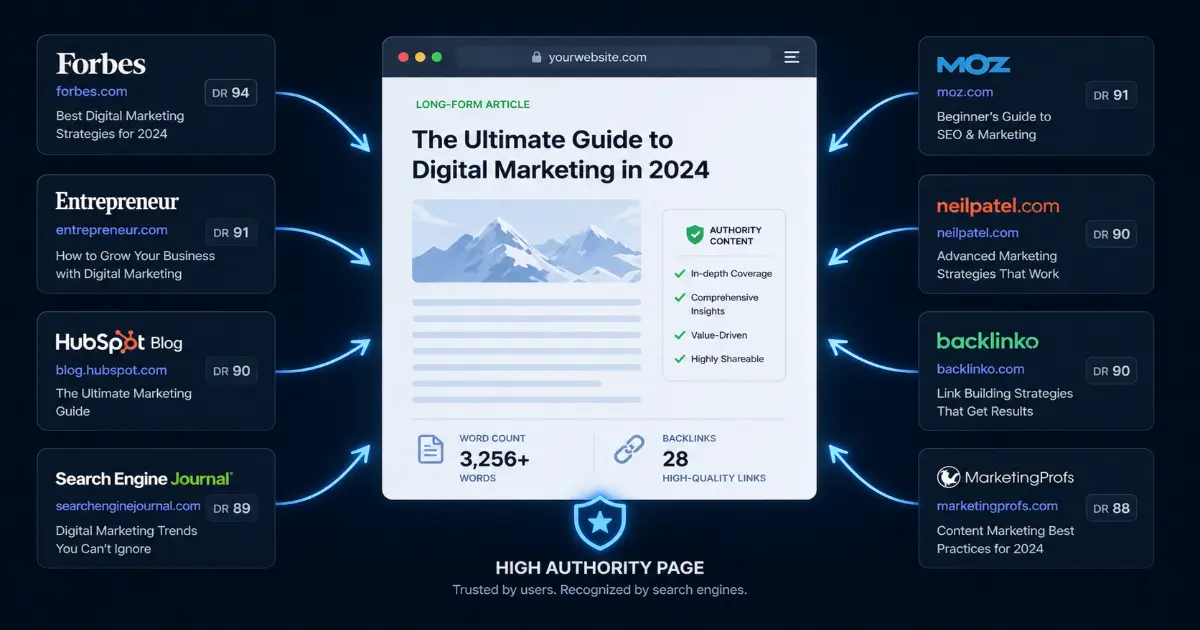
The reasoning is straightforward. When a journalist, blogger, or researcher needs to cite a source, they link to the piece that answers the question most completely. A 600-word overview rarely qualifies. A definitive, well-structured guide almost always does. Hitting the right word count isn't padding — it's positioning.
Balancing Flexibility with Strategic Length Targets
Not every piece of content warrants 3,000 words. Product pages, local landing pages, and news updates serve entirely different user intents. The skill lies in matching content length to purpose — and a word counter provides the real-time feedback loop that makes this possible.
A practical approach is to set length targets before drafting, not after. Decide whether a piece is serving informational, navigational, or transactional intent, then establish a word count range accordingly. Informational guides targeting backlink growth: 2,500–4,000 words. Conversion-focused landing pages: 800–1,500 words. Treat the word counter as a strategic compass, not just a finishing check.
Auditing Competitor Content Length
One of the most underused applications of a word counter is competitor content auditing — analysing the length of pages that currently rank in the top three positions for your target keyword. If the top-ranking results average 3,200 words, publishing 900 words signals to search engines that your content is less comprehensive, regardless of its quality.
The process is simple: paste competitor content into a word counter, record the figures across multiple top-ranking results, and calculate the average. That average becomes your minimum viable length. Tools that offer character count, reading time, and paragraph breakdowns — features you'd find in counters that complement grammar-checking platforms like word counter Grammarly integrations — give you additional data points for benchmarking tone and density alongside raw length.
Avoiding Fluff: High Word Counts That Still Deliver Value
Length without substance is the fastest way to earn a high bounce rate. Search engines increasingly reward content depth — the presence of related terms, thorough answers, and meaningful structure — over sheer volume. Every paragraph in a long-form piece should answer a question, introduce a concept, or provide an example. If it doesn't, it's diluting the piece's authority, not adding to it.
A useful self-editing rule: after drafting, run a final word count, then challenge yourself to remove 10% without losing any meaningful information. If you can't find that 10%, the content is genuinely earning its length.
Knowing what your content needs to achieve at a given length is only half the equation. The other half is choosing a tool that supports that process efficiently — which makes the question of which word counter to trust an important one worth examining carefully.
Choosing the Right Free Online Word Counter Tool
Not all word counter tools are created equal. For professional writers, journalists, academics, and content creators who need to count words correct writing demands — selecting the right tool means weighing privacy, speed, accessibility, and forward-looking features against your specific workflow.
Privacy: Where Does Your Text Go?
Before pasting a manuscript draft or sensitive client brief into any online tool, the first question should always be: does this platform store your text? Many free web-based counters process text locally within your browser, meaning nothing is transmitted to an external server. Others log input for analytics or improvement purposes. Always review a tool's privacy policy before use, particularly if you handle confidential content under NDA or are preparing unpublished work.
Local processing: A method by which text analysis occurs entirely within the user's browser, with no data sent to or stored on external servers.
Speed and Instant Results for High-Volume Writers
For writers producing multiple articles, reports, or scripts daily, a modern word counter tool should deliver instant results — no page reloads, no queuing, no lag. Real-time character and word tallies as you type eliminate the need to pause and check, keeping your creative momentum intact. High-volume professionals should prioritise tools that handle 10,000+ words without performance degradation.
Browser Extensions vs. Web-Based Counters
Both approaches offer distinct advantages. Browser extensions integrate directly into your writing environment — whether that's a CMS, email client, or Google Docs — offering passive, always-on counting without switching tabs. Web-based counters, on the other hand, typically provide richer analytical dashboards: keyword density, readability scores, and sentence-length distributions, as explored in earlier sections of this guide. The most efficient choice depends on whether you need ambient awareness or deep analytical insight.
The Future: AI-Assisted Length and Tone Adjustment
The next evolution in word counting tools moves beyond passive measurement. As AI task-matching tools become more sophisticated, expect counters to offer active suggestions — trimming overlong paragraphs, flagging tonal inconsistencies, or recommending length adjustments based on your target platform's preferences.
Precision writing is not accidental — it is engineered. The right word counter transforms a simple tally into a strategic writing companion.
Ready to elevate your writing? Explore our complete suite of precision writing tools and start optimising every word you publish.
Key Takeaways
Related articles
Keep reading similar topics
Why the Best Online Word Counter Is Your Ultimate Writing Tool
Stop using basic calculators. Discover why a professional word count checker is an essential writing assistant for precision, clarity, and better content.
Precision Word Counter & Character Count Tool | Check Text Now
Ensure your content meets every requirement with our professional online word counter. Get instant, accurate word and character counts to perfect your writing.
The Truth Behind DOB Calculators: Why They Go Viral
Ever wonder why birth date calculators are so addictive? Discover the psychology behind viral DOB trends, astrology charts, and the secrets hidden in your birth.