
Precision Word Counter & Character Count Tool | Check Text Now
Table of Contents
Beyond the Number: How Online Word Counters Standardise Writing
Precision in writing is no longer a courtesy — it is a professional requirement. Whether you are submitting copy to a client, pitching an editorial feature, or preparing platform-specific content for social media, the accuracy of your word and character counts can make or break your work before a single reader engages with it.
The 'Platform Drift' Problem
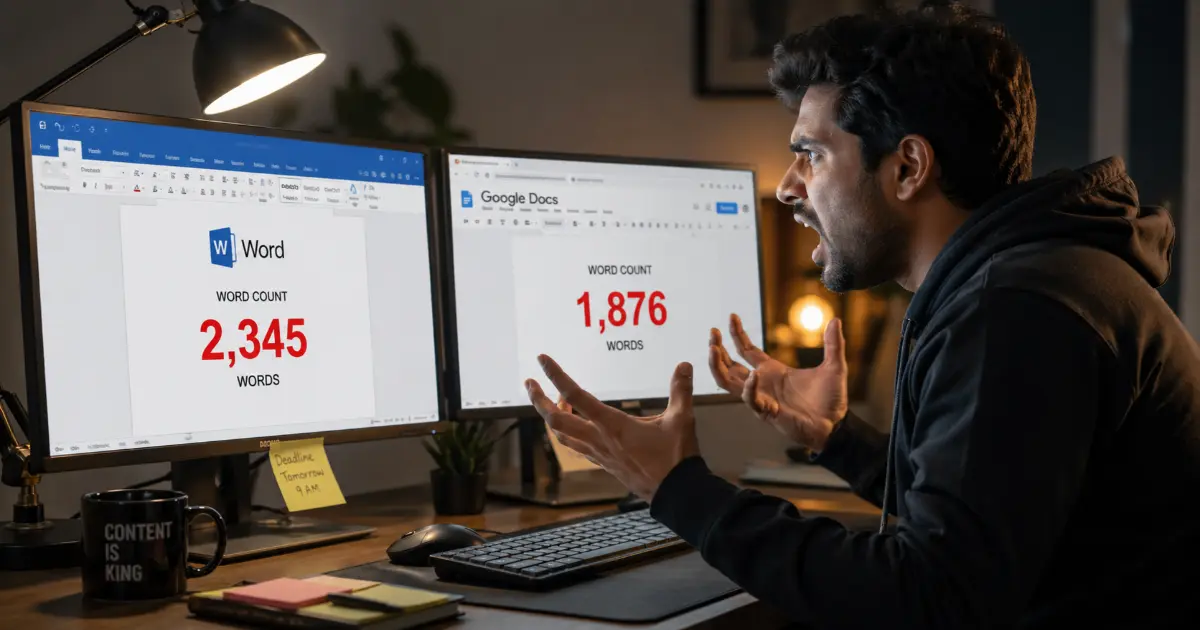
A frustrating reality for anyone working across multiple tools is that platform drift — the phenomenon where Microsoft Word and Google Docs report different word totals for identical text — is far more common than most writers realise. Hyphenated compounds, contractions, URLs, and bulleted lists are all counted differently depending on the software's internal logic. What reads as 1,200 words in one application may register as 1,187 in another, creating discrepancies that matter enormously when hitting strict submission limits or SEO requirements.
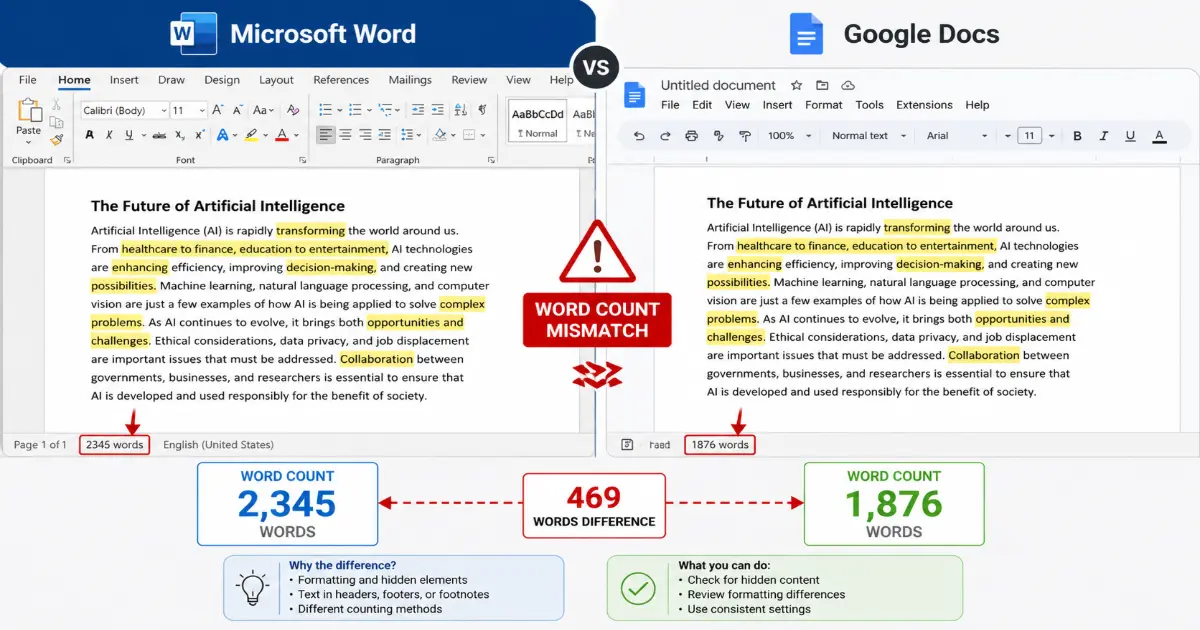
This inconsistency is compounded by hidden formatting metadata — the invisible structural code embedded in document files. Native word processors count some of this data as content, skewing totals in ways that are impossible to audit without specialised knowledge.
Why Browser-Based Tools Cut Through the Noise
A browser-based word counter solves this by operating on plain text alone. When content is pasted into an online tool, all proprietary formatting is stripped away instantly, leaving only the raw words and characters. The result is a clean count that reflects exactly what a reader — or an algorithm — will encounter.
Online character count tool: A browser-based utility that analyses pasted or typed text to return precise word, character, sentence, and paragraph totals, independent of any document formatting or software environment.
For writers working to Twitter's 280-character limit, Google's guidelines for meta descriptions, or Amazon's product description fields, this level of accuracy is not optional — it is essential.
The Word Checker in Professional Editing Workflows
In agency and publishing environments, a word checker functions as a neutral arbiter. Editors use it to verify that submitted drafts meet contracted lengths, while copywriters use it to confirm revisions have not inadvertently expanded or compressed key sections. It removes subjectivity from a process that has historically relied on estimates.
A Universal Benchmark for Remote Teams
Remote content teams working across different operating systems, time zones, and software licences face a particular challenge: agreeing on a single standard. A word counter website provides exactly that — a shared, accessible reference point that requires no installation, no subscription, and no platform alignment. One URL, pasted into any browser, returns the same result for every team member.
Of course, standardising how you count words only addresses half the challenge. The more contested question — how many words your content actually needs — is where many content strategies quietly fall apart.
The SEO Word Count Myth: Balancing Quantity with Quality
For years, a persistent belief has circulated through content marketing circles: more words equal better rankings. It is a seductive idea — straightforward, measurable, and easy to act upon. However, the reality is considerably more nuanced, and misunderstanding this distinction can lead writers to pad content rather than strengthen it.
What Google Actually Says About Word Count
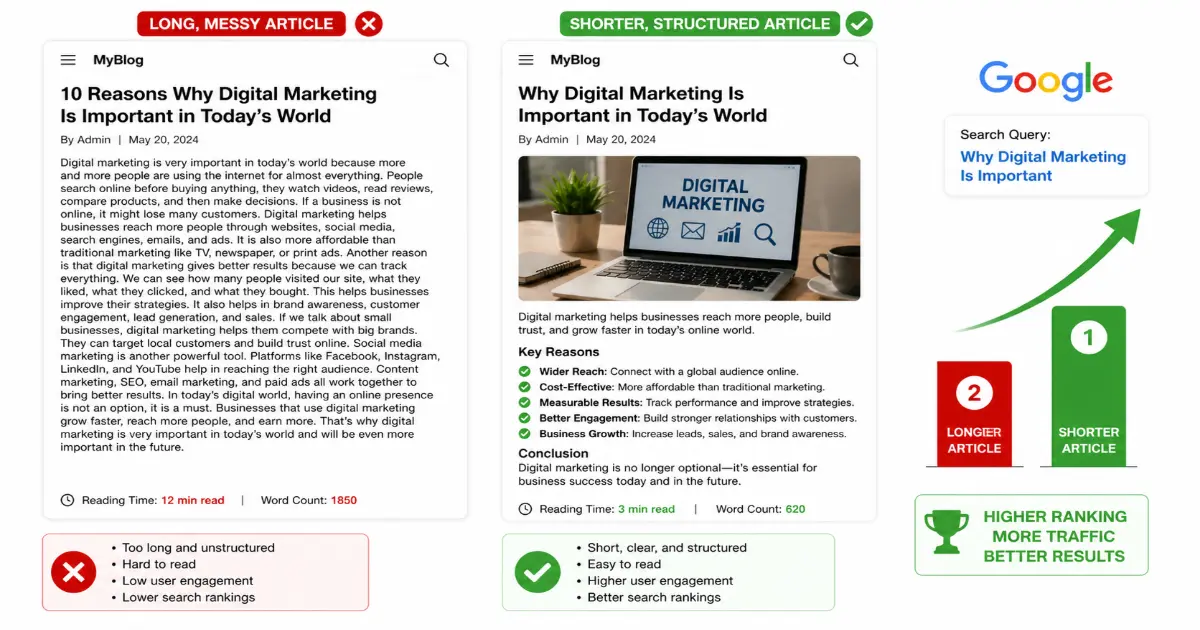
Google has been explicit on this point. Senior representatives at the search giant have confirmed that word count alone is not a ranking signal. A 3,000-word article stuffed with repetition will not outrank a tightly written 800-word piece that genuinely answers a query. As Search Engine Journal reports, the relationship between word count and rankings is correlational, not causal — longer content tends to rank because it tends to be more comprehensive, not simply because it contains more words.
Topical comprehensiveness: The extent to which a piece of content addresses all meaningful aspects of a subject — including related questions, subtopics, and contextual nuance — that a reader might reasonably expect to find covered.
This distinction matters enormously. Comprehensive coverage earns rankings. Word count is merely a byproduct of achieving that coverage.
Recommended Ranges by Content Type
Appropriate length varies significantly depending on the format and intent of the content:
- 'Ultimate Guide' or pillar content: 2,500–4,500 words, covering broad topics with multiple subtopics, definitions, and internal linking opportunities
- Standard how-to articles: 1,000–1,800 words, focused on a specific task with clear steps and a defined outcome
- News or opinion pieces: 400–800 words, where brevity signals respect for the reader's time
- Product or landing pages: 300–700 words, where conversion focus outweighs editorial depth
These are not rigid rules. A complex technical topic may demand more depth; a simple query deserves a direct answer. As MarketMuse notes, content scoring models that factor in topical authority and coverage consistently outperform raw word count as a predictor of content marketing performance.
Why Longer Content Correlates With Visibility
Longer, well-structured articles naturally accumulate more internal and external links, target a broader range of long-tail keyword variations, and provide more opportunities for featured snippet capture. These are the mechanisms driving visibility — not the word count itself. Stripping filler from a 4,000-word article to produce a sharper 2,800-word piece will rarely harm its performance; in many cases, it improves it.
Content padding: The practice of inflating word count with redundant phrases, excessive caveats, or loosely related information, which reduces readability without adding topical value.
Using a Word Count Checker for Smarter Coverage
A word count checker — and by extension a character counter for tighter formatting contexts — transforms this abstract principle into an actionable habit. Rather than writing towards a target number, practitioners use these tools to audit drafts: identifying sections that are thin on substance, spotting repetition, and confirming that introductory, core, and concluding elements are proportionally balanced.
The goal is not to hit a number. It is to leave no meaningful question unanswered.
How this precision extends to social platforms — where character limits directly affect whether your message is seen at all — is the focus of the next section.
Character Counting for Social ROI: The Science of Truncation
Word count shapes long-form content — but on social platforms, it is the character count that governs whether your message reaches its audience at all. As the previous section established, quality and precision work together; nowhere is that partnership more visible than in the cut-throat brevity of social media feeds.
The 'See More' Trap
Every social platform imposes an invisible threshold, and crossing it costs you engagement. On Facebook, posts are truncated at approximately 477 characters on desktop and as few as 309 on mobile, forcing readers to tap "See More" before the full message appears. On LinkedIn, the cut-off arrives around 210 characters in the feed. That single click — seemingly trivial — represents a measurable drop in reach.
Truncation threshold: The character point at which a platform collapses post text behind a "See More" prompt, reducing the proportion of users who engage with the full message.

The psychological principle at work is straightforward: friction kills intent. Research into online reading behaviour consistently shows that audiences make split-second decisions about whether content is worth their attention. A post that delivers its core value before the truncation line removes that friction entirely, keeping readers in the moment rather than asking them to act.
SERP Truncation and Headline Precision
The same logic applies to search engine results pages. Google typically displays between 50 and 60 characters for a page title before truncating with an ellipsis. A headline that runs to 75 characters may communicate perfectly in a content management system but appear broken and incomplete in organic search results — undermining click-through rates before a reader ever lands on the page.
Using a word counter online toolthat also tracks character output allows writers and SEO professionals to validate headlines in real time. Rather than guessing, a character-aware tool provides an exact count so that every title, meta description, and social caption is engineered to fit its container precisely.
Optimal Lengths for High-Engagement Posts
In practice, the most-shared Facebook posts tend to cluster below 80 characters — short enough to feel like a direct statement rather than a paragraph. For LinkedIn, posts that front-load a compelling hook within the first 150 characters consistently outperform those that bury the lead. These are not arbitrary preferences; they reflect how platform algorithms surface content that generates early interaction signals.
Knowing these thresholds transforms character counting from an afterthought into a deliberate editorial discipline. And that discipline extends beyond social copy into every tool a copywriter reaches for daily — which raises a broader question: what should the ideal writing toolkit actually contain?
The Copywriter's Toolkit: Solving the 'Best Tool' Debate
Ask any copywriting community — from busy Slack channels to Reddit threads — and the question surfaces constantly: which tool is actually best for counting words and characters? The honest answer is that no single tool wins universally. The right choice depends on your workflow, the platform you are writing for, and the specific metrics that matter to your project.

What to Look For in a Word Checker
Before comparing options, it helps to understand what separates a capable word checker from a basic counter. The most useful tools go well beyond a raw word tally. Look for three core features:
-
Keyword density analysis — This shows what percentage of your total word count a specific term represents. Overuse a keyword and you risk appearing spammy; underuse it and topical relevance suffers. Many professional tools offer x1, x2, and x3 keyword density checks, highlighting individual words, two-word phrases, and three-word phrases respectively. This granular view is invaluable for avoiding unintentional repetition.
-
Flow Score or readability grading — Some tools assess how smoothly your writing reads by analysing sentence length variation and structural patterns. A high flow score typically correlates with lower bounce rates, as readers are more likely to stay engaged.
-
Reading Level — Tools that calculate reading level (often using the Flesch-Kincaid scale) help you calibrate complexity to your target audience. A technical white paper and a consumer blog post should not read the same way.
Keyword Density: The percentage of times a specific word or phrase appears relative to the total word count of a piece of content — a key signal for both readability and search relevance.
Offline vs. Online: Choosing Your Environment
Built-in software such as word processors offer reliable offline access and integrate directly into your drafting environment. They are well suited to long documents where you need continuous word count feedback without switching tabs. However, they rarely offer keyword density breakdowns or reading level analysis.
Browser-based tools fill this gap effectively. Platforms like wordcounter.net provide a comprehensive dashboard within a single interface — paste your text, and you immediately see word count, character count (with and without spaces), keyword density at multiple phrase lengths, and readability scores. In practice, many copywriters use a hybrid approach: draft offline for focus, then paste into a browser tool before final review.
The most effective copywriters treat their word checker as a pre-publication checklist, not an afterthought.One practical consideration: browser tools require an internet connection and involve pasting content into a third-party interface, which raises data sensitivity questions for confidential client work. When handling sensitive copy, offline tools or privacy-focused alternatives are the more prudent choice.
Selecting the right combination of tools is only half the challenge, however. Even with the best toolkit in place, you may find that the same piece of content returns different word counts depending on which tool you use — and understanding why that happens is where precision truly begins.
Why Your Word Count Changes: Understanding Text Segmentation
You've run the same piece of text through two different tools and received two different word counts. It's not a glitch — it's a fundamental disagreement in how software interprets language. Understanding why this happens is the difference between chasing phantom discrepancies and making confident, consistent decisions about your content.
Hyphens, Em-Dashes, and the Compound Word Problem
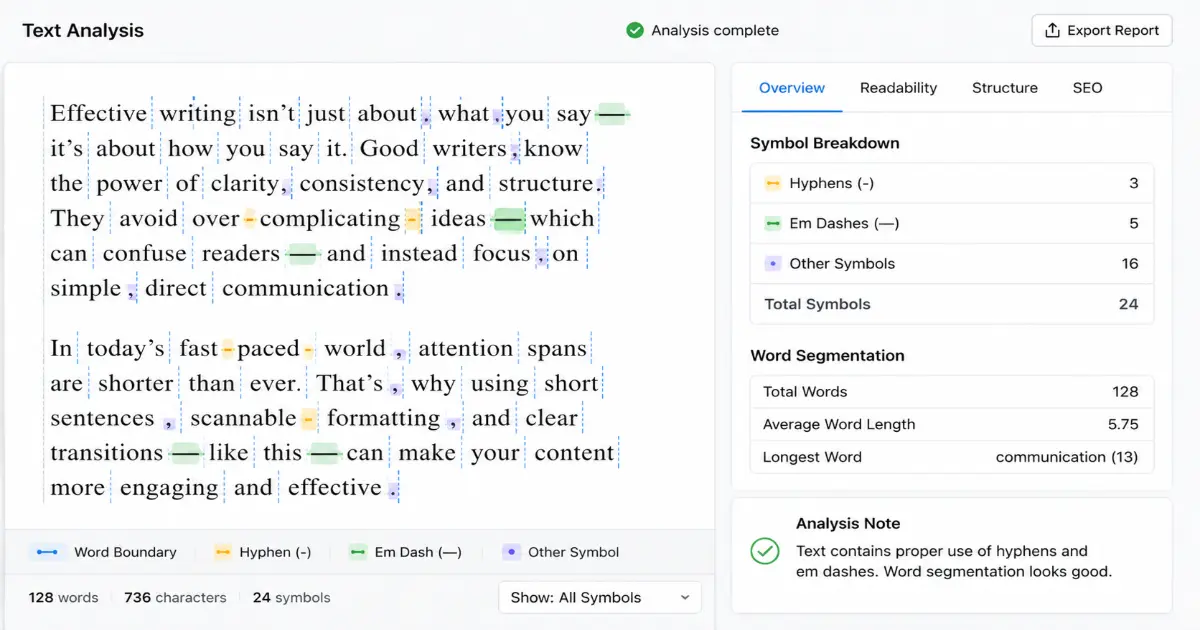
Text segmentation is the process by which a tool decides where one word ends and another begins. The challenge lies in punctuation. A hyphenated phrase like "well-known" might be counted as one word by one tool and two by another. Em-dashes — used to connect clauses — can be treated as word boundaries or ignored entirely, depending on the algorithm.
Compound words create similar friction. "Copywriting" is clearly one word; "copy writing" is two. But "copy-writing" sits in ambiguous territory. In practice, these micro-decisions accumulate quickly across a 2,000-word article, producing counts that vary by 30 to 50 words between tools — enough to matter when you're working to a strict editorial brief.
Hidden Formatting and the HTML Problem
Character count inflation occurs when invisible markup is included in the total — and it's more common than most writers realise. If you paste content directly from a content management system or a rich-text editor into a word count checker, hidden HTML tags <strong>, <p>, and may be counted as characters or even as words, depending on how the tool parses the input.
Plain text mode: A setting in word-counting tools that strips all formatting before analysis, ensuring only visible characters and words are counted — not underlying code or markup.
This distinction becomes especially important for social copy and meta descriptions, where a single stray tag can push you over a character limit you thought you'd respected.
Why PDFs Are a Special Case
PDF word counts are notoriously unreliable. PDFs render text visually rather than storing it as clean, linear data. Words split across columns, footnotes, headers, and text boxes are often misread or duplicated by standard tools. Specialised extraction software exists for this purpose, but for most content workflows, converting a PDF to plain text before analysis produces far more dependable results.
The Neutral Arbiter Philosophy
Consistency beats precision. No single tool is definitively "correct" — but picking one and applying it uniformly across every project eliminates the noise entirely. Whether you're measuring against a client brief or an internal editorial standard, the tool you choose becomes your neutral arbiter: a fixed reference point that removes ambiguity from the equation.
Knowing why your count varies is only half the battle — the next step is putting that knowledge to work. In the following section, we'll explore how to use a word checker not just to count, but to actively improve the quality, clarity, and technical optimisation of your writing before it goes live.
Maximising Impact: How to Use a Word Checker to Correct Writing
Knowing why counts matter is only half the equation. The real competitive advantage comes from knowing how to act on them — consistently, before every piece of content leaves your hands.
Catching Errors in Real Time
A modern word checker does far more than tally up your total. The best tools flag grammatical inconsistencies, punctuation errors, and awkward phrasing as you write, functioning as a silent editor running alongside your workflow. In practice, writers who rely solely on a spell-checker miss the subtler issues: misplaced modifiers, comma splices, or passive constructions that quietly drain a piece of its authority.
The key is treating real-time grammar feedback not as a crutch, but as a quality gate. Each flagged issue is an opportunity to sharpen clarity before the reader ever encounters it.
Word Length and Reading Level
One frequently overlooked insight: average word length is a reliable proxy for reading complexity. Longer, Latinate words tend to signal expertise but can create distance with a general audience. Shorter, Anglo-Saxon vocabulary — use rather than utilise, show rather than demonstrate — keeps reading level accessible without sacrificing authority.
Readability balance: The goal is not to write simply, but to write clearly. Sophisticated ideas can be expressed in plain language; the two are not in conflict.
A good word counter website will surface your average word length alongside your total count, giving you a fast diagnostic for whether your register suits your audience. As Search Engine Journal notes, the relationship between content quality and measurable text metrics is more nuanced than raw length alone.
Optimising Meta Titles and Descriptions
Character counters earn their keep most visibly in search engine metadata. Search engines truncate meta titles beyond roughly 60 characters and descriptions beyond approximately 155–160 characters. Exceed those limits and your carefully crafted copy gets cut mid-sentence in the search results — undermining click-through before a reader even arrives.
The discipline of fitting your value proposition into a precise character window is one of the sharpest copywriting exercises available. It forces prioritisation: every word must justify its presence.
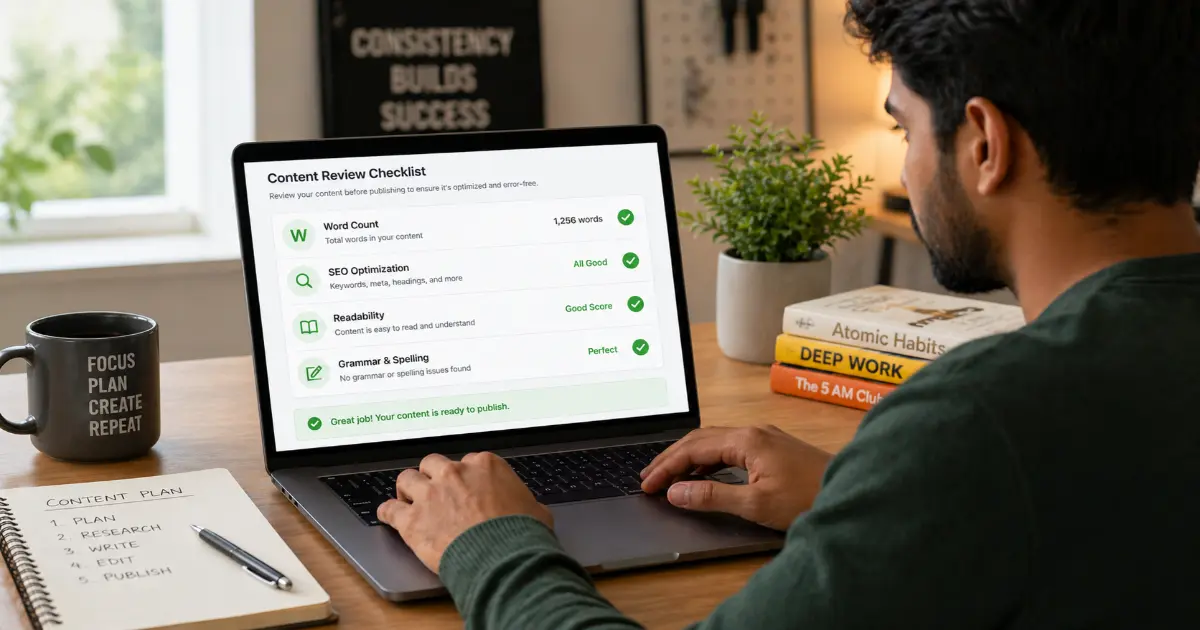
Your Pre-Publish Checklist
Before hitting publish or submit, run through these final checks:
- Word count: Does it meet the brief, platform requirement, or SEO goal?
- Character count: Are meta titles and descriptions within visible limits?
- Reading level: Is average word length appropriate for your audience?
- Grammar sweep: Has the word checker flagged any remaining issues?
- Consistency: Are spellings, terminology, and tone uniform throughout?
Precision in content is not pedantry — it is professionalism. The writers and teams who treat word and character counts as strategic instruments, rather than arbitrary constraints, consistently produce content that performs better, reads more clearly, and earns greater trust. That edge is available to anyone willing to use the right tools with genuine intention.
Related articles
Keep reading similar topics
Precision Word Counter: Accurate Character & Word Count Tool
Need an accurate word count? Use our professional word counter tool to ensure your writing meets strict length requirements for publishing, SEO, and more.
Why the Best Online Word Counter Is Your Ultimate Writing Tool
Stop using basic calculators. Discover why a professional word count checker is an essential writing assistant for precision, clarity, and better content.
How to Count Words in Microsoft Word: 5 Pro Methods
Need to count words in Word? Learn 5 professional ways to check your word count across desktop, web, and mobile apps with our simple, step-by-step guide.